
From booking to pickup.
TrueTrip connects passenger bookings, vehicle schedules and driver assignments. Follow the Brisbane Airport pickup through the office.
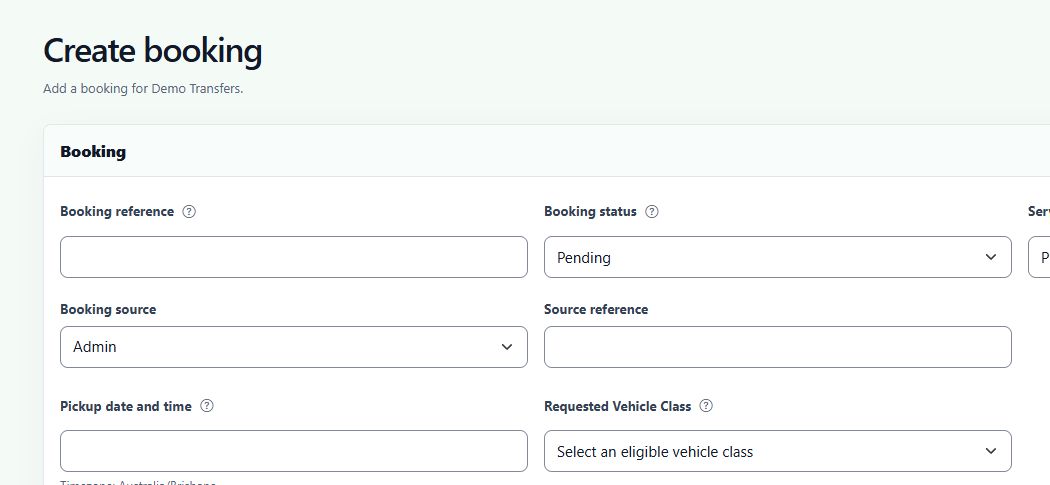
Capture the details once.
Record the pickup time, vehicle class, addresses, passenger numbers and luggage. Include a flight, cruise, ferry or train connection when the onward journey matters.
A child seat, three golf bags or a different meeting point can all change which vehicle you send.
Find the gaps in the day.
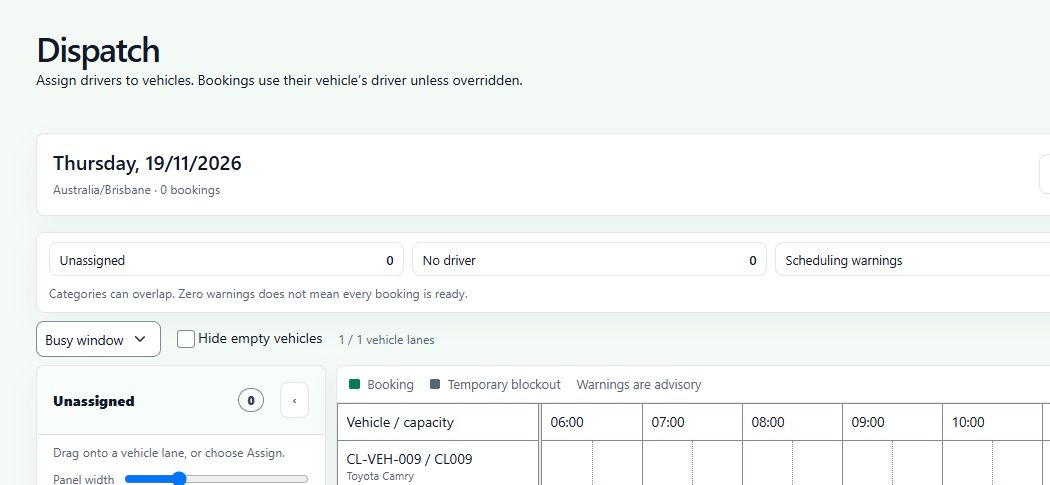
Use the dashboard to find jobs awaiting confirmation, unassigned transfers and failed payments. In dispatch, review the vehicle timeline, check scheduling warnings and assign a driver.
For a return journey, check each leg’s pickup time and driver separately.
How it fits your operation
Can I keep my website?
Yes. Use a hosted booking form or embed a form on an approved website. The booking comes through to your operator workspace.
Can I use my own rates?
Set pricing profiles, location groups and rates by vehicle class. Include the extras you offer, such as child seats or golf clubs.
Who assigns the driver?
Your team assigns the vehicle and driver. The timeline flags scheduling issues for the dispatcher to review.
How are payments handled?
The operator’s Stripe connection and booking-form settings determine the payment flow. Confirm payment setup and testing for your account before taking live bookings.
What would it cost for your fleet?
Compare booking volumes and vehicle numbers against the proposed monthly plans.